Installation
Install and set up the app for first use.
Proxygen for Mac can be installed either by downloading it from proxygen.app.
System requirements
Proxygen is designed to take as little resources from your computer as possible. Memory usage will mostly depend on number of HTTP message in history and their body data size.
- Currently Proxygen requires macOS 13.0 or higher
Proxygen CA certificate
Proxygen uses a self-signed CA certificate when performing MitM to HTTPS connections. Essentially, it needs to masquerade as the remote server and terminate TLS connections in order to gain access to decrypted data. Proxygen signs the server certificate that it presents to the clients with its own CA certificate. Before the client can accept this certificate it must trust the Proxygen CA similar to other trusted root CAs.
This self-signed CA certificate is generated by the Proxygen app on first launch, and every Proxygen installation has a different certificate. What this means is that no other Proxygen installation can decrypt your traffic.
Automatic certificate installation
The first time you launch Proxygen, a setup window walks you through the two steps that are needed before any HTTPS traffic can be inspected.
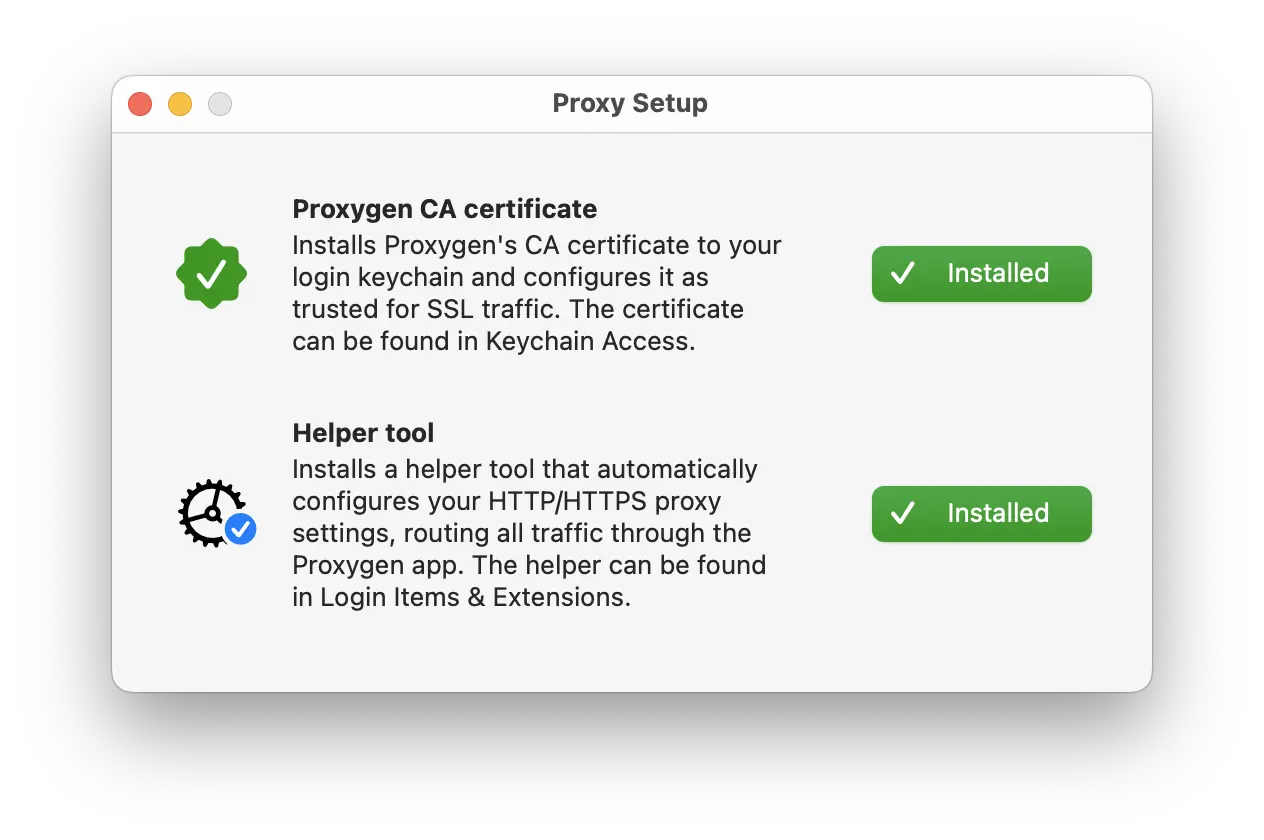
It installs the Proxygen CA certificate into your login keychain and trusts it, and it installs a privileged helper tool. The helper keeps your Mac’s system HTTP and HTTPS proxy pointed at Proxygen’s listener whenever proxying is enabled, and reverts the configuration back to your earlier settings when the app terminates.
Both steps can be revisited later in Preferences → Configure, described in Configure Proxy.
Export and import CA certificate
Proxygen app offers tools to export its CA certificate in various forms.
- Open Preferences and select Configure tab.
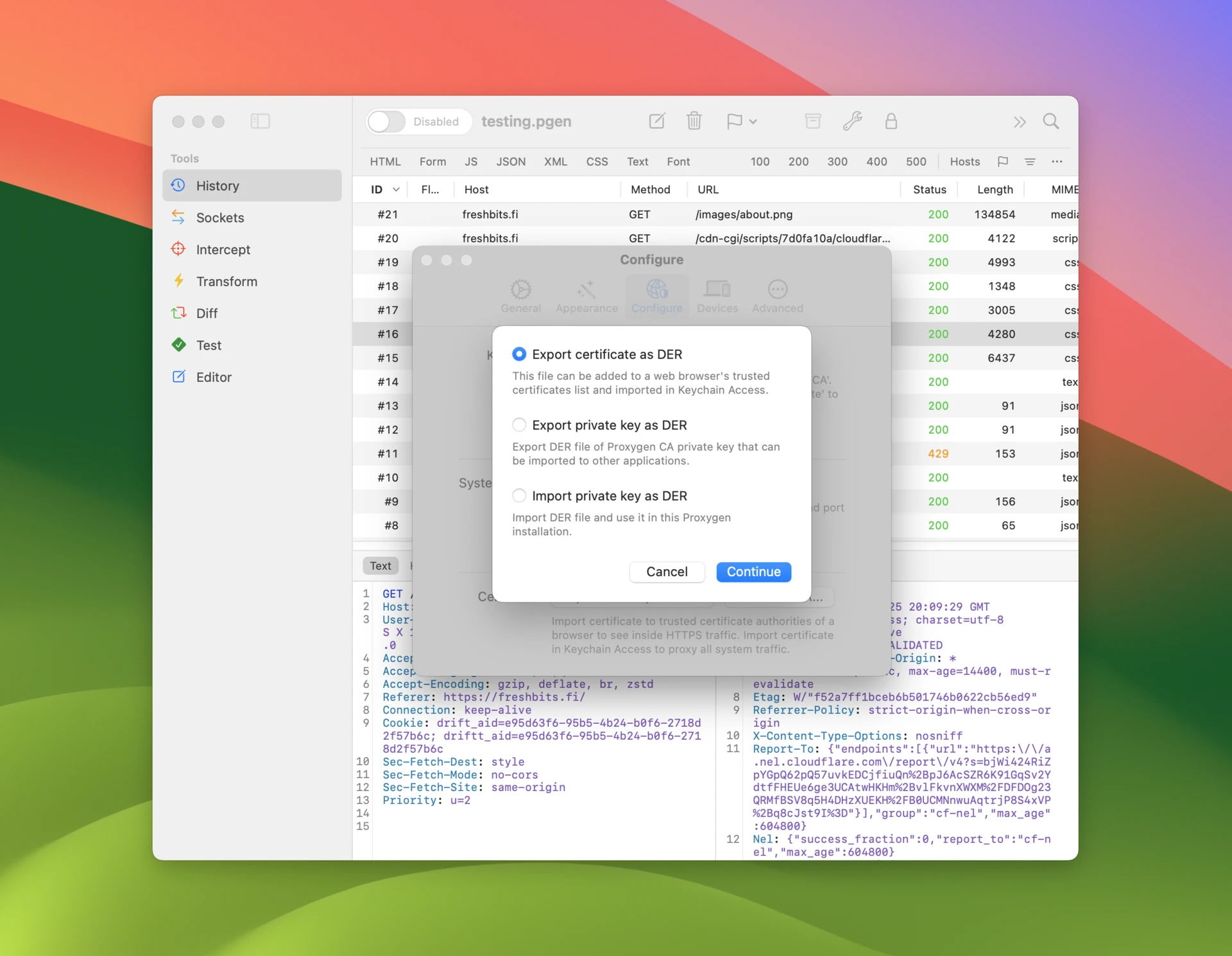
- Click Export and Import CA.
First option Export certificate as DER file only includes the public key of the certificate. It can be installed in the macOS system keychain, imported to browsers such as Firefox, or installed on another device like an iPhone. You can typically find instructions how to do this for your device.
Second option Export certificate as PEM writes the same certificate in the base64 encoded PEM format. Command line tools such as cURL, and the libraries built on top of it, expect a CA certificate in this format. Pass the exported file with curl --cacert ProxygenCA.pem to make cURL trust the Proxygen CA. A client that is already configured to use the Proxygen listener can also download the certificate directly from http://proxygen/ca.pem, or http://proxygen/ca.der for the DER format.
The other two options Export / Import private key as DER allow transferring the CA certificate from one Proxygen installation to another. This may be practical if you have already configured several other devices with this specific CA certificate and wish to start using another Mac.
Generate a new CA certificate
Proxygen can regenerate its CA certificate and replace the existing one. This option may be useful for troubleshooting, or if you want to ensure that the CA certificate used by your Proxygen installation is not known by anyone else.
- Open Preferences and select Configure tab.
- Click Generate CA.