Match and Replace
Change contents of requests and responses.
Match and Replace can change contents of proxied requests and responses. This can be useful while developing a client application and testing its behavior with certain server data. It can also alter functionality of client applications by overwriting data they send to the server API.
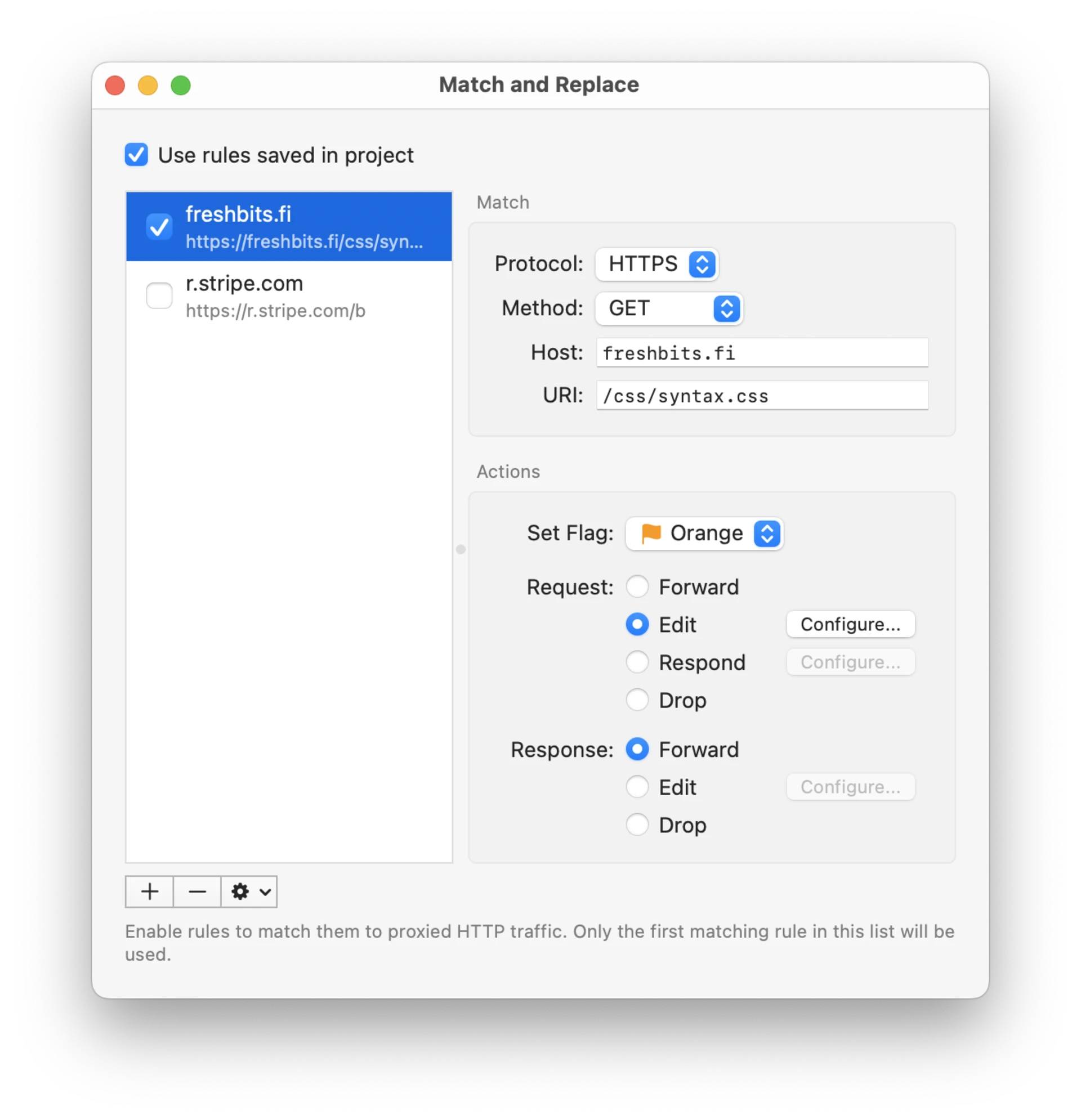
Match and Replace rules can be saved both globally in Proxygen app and in each project document. Toggle Use rules saved in project to enable global or project specific rules.
Rules can be added, removed and reordered using the rules list. You can make duplicates of existing rules.
Matching
Each rule has a protocol, method, host and URI fields to execute it only for specific traffic. Leave these fields to default values to execute the rule for all traffic.
Use Add Match Rule menu action in History to add a rule for a request. It will automatically fill in the protocol, method, host and URI fields to get you started.
Actions
You can perform the following actions:
- Set Flag assigns a flag to all matching messages
- Edit request or response and then forward it to its destination
- Respond to a request with a custom response without sending it to the remote server
- Drop request or response without forwarding it
Editing a request or a response has multiple options:
- URI tab allows you to keep original URI, replace it with a custom URI, or replace a matching range of URI with a new value. Replacement supports regular expressions such as
/userId=[^&]*/.

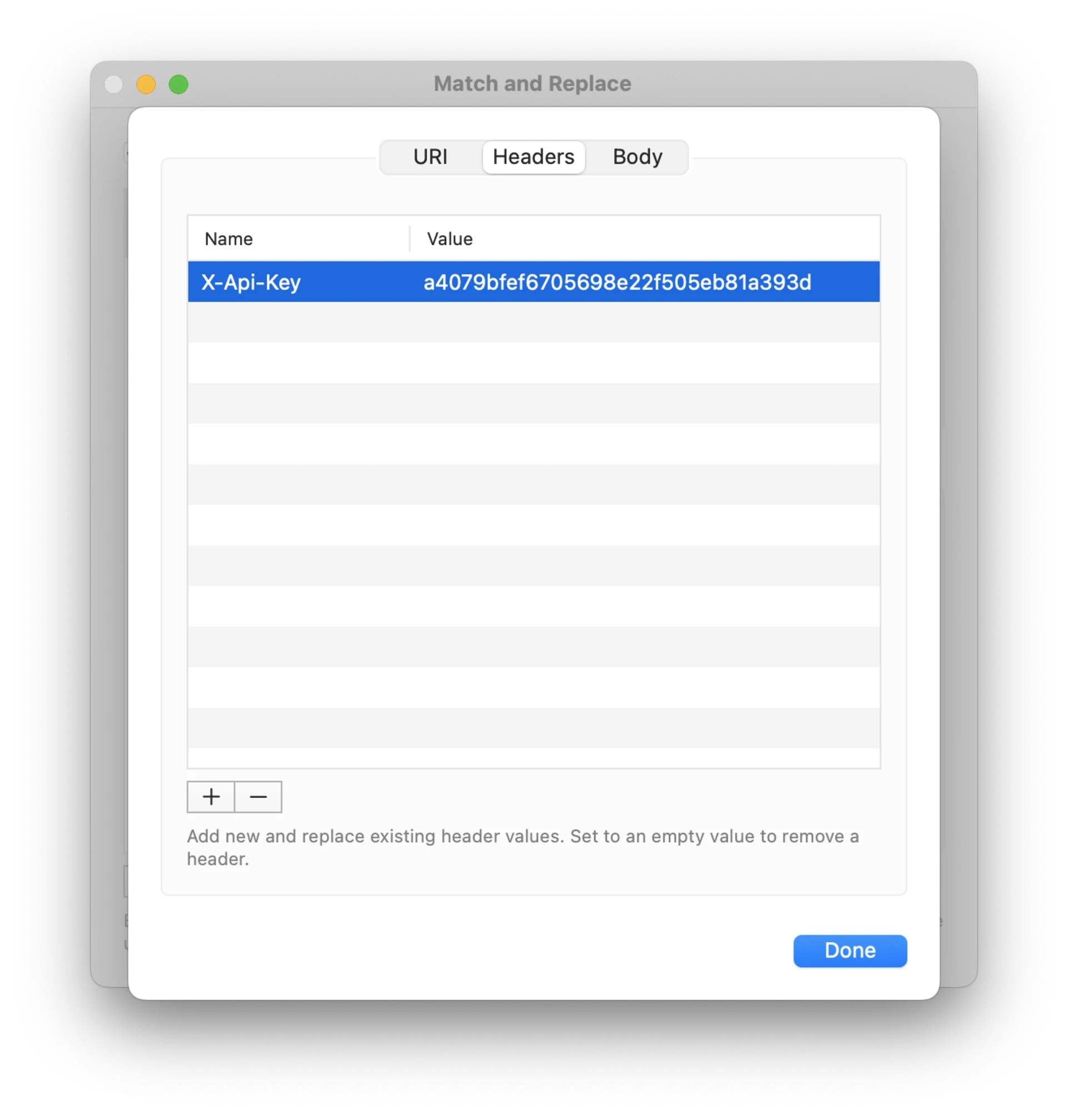
- Headers list lets you add update HTTP headers. If there is no existing header with that name it is added. If a header for that name exists, its value is updated. If you leave the value field empty, any existing headers with that name will be removed.
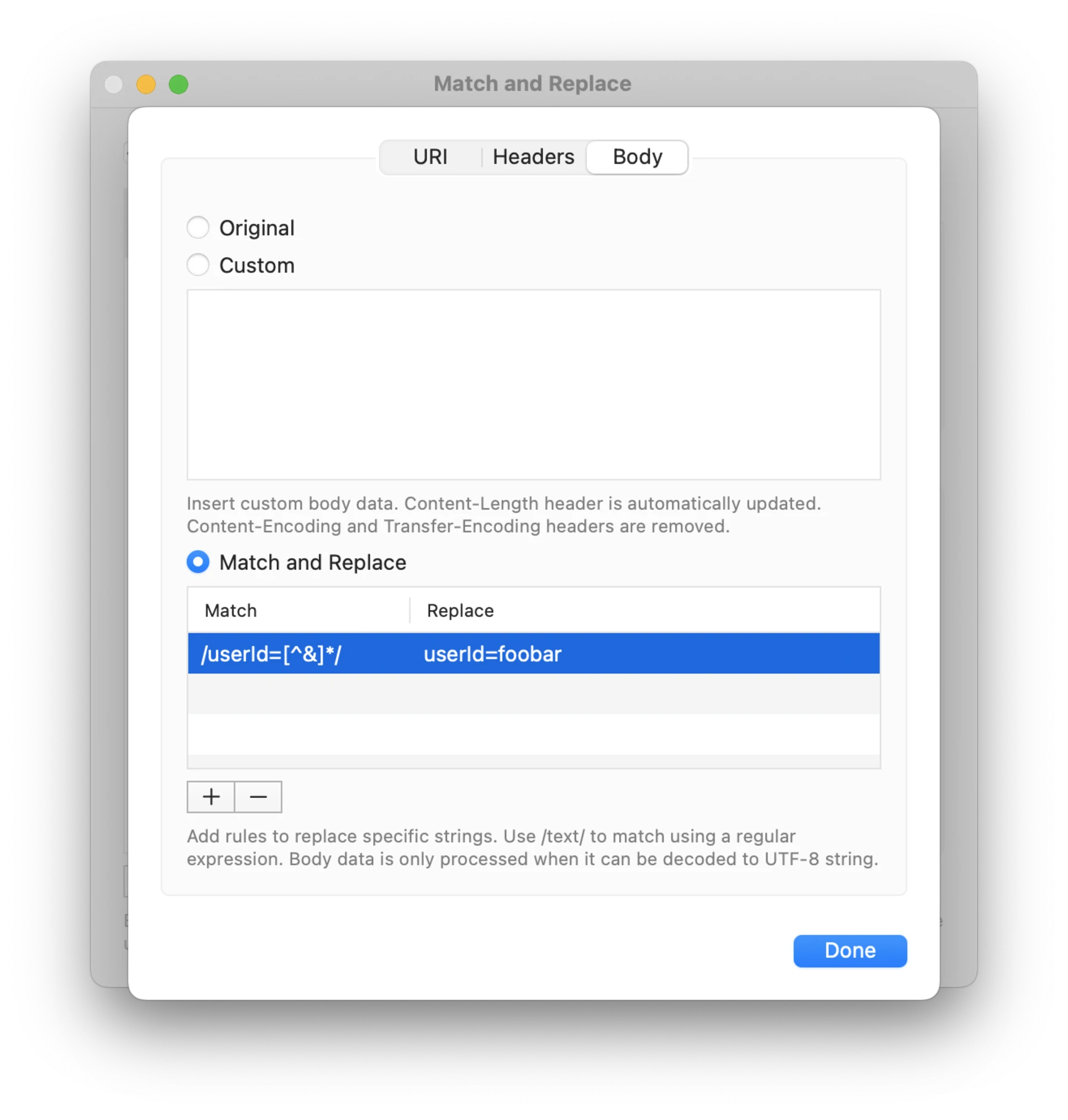
- Body tab allows you to keep original body data, replace it with custom text, or replace a matching range of the body text with a new value. Replacement supports regular expressions such as
/userId=[^&]*/.